

Expense reporting often starts with something simple: an employee takes a photo of a receipt.
What happens next can determine how efficiently the organization processes the expense.
Traditional expense reporting often requires employees to read receipts, enter amounts manually, select expense categories, add dates, and attach supporting documents. Finance and HR teams then review the submitted information before moving the claim through approval and reimbursement.
OCR receipt scanning changes this process by converting receipt information into structured digital data. Employees can capture a receipt, let OCR extract the relevant information, and use the extracted data to prepare an expense claim with less manual entry.
For organizations using SAP SuccessFactors, integrating receipt scanning into SAP SuccessFactors expense management can create a more connected expense experience while helping HR and Finance teams improve processing efficiency.
This article explains how receipt OCR works, how it supports expense management, and how Reimburse brings AI powered receipt capture into SAP SuccessFactors.
What Is OCR Receipt Scanning?
OCR stands for Optical Character Recognition. It allows software to recognize and extract text from an image or scanned document.
In expense management, receipt OCR can identify information such as:
- Merchant or vendor name
- Transaction date
- Total amount
- Tax amount
- Currency
- Receipt number
- Other relevant expense details
Instead of asking employees to manually enter every piece of information, receipt scanning software extracts the available data and uses it to populate an expense claim.
This creates a simple workflow:
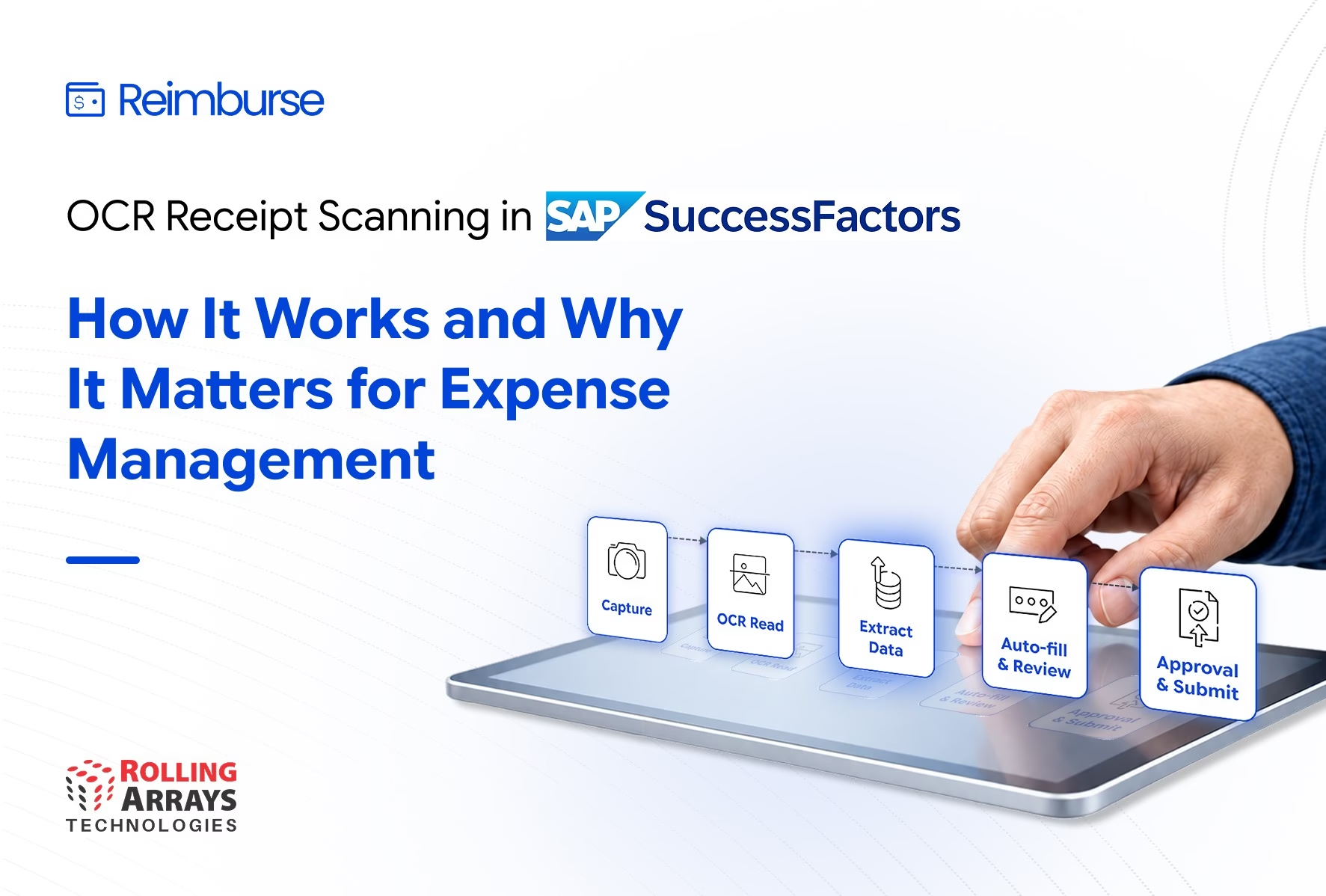
Photo → OCR → Auto-Populate → Review → Approval
The employee still reviews the information before submission, but OCR reduces the amount of repetitive data entry required.
How Does OCR Receipt Scanning Work?
OCR expense management typically follows several steps.
1. Employee Captures the Receipt
The process begins when an employee takes a photo of a physical receipt or uploads a digital receipt.
A mobile-first experience makes this particularly useful for employees who incur expenses while travelling or working away from their desks.
Instead of keeping receipts until they return to the office, employees can capture them as expenses occur.
2. OCR Reads the Receipt
The receipt image moves through the OCR engine, which identifies readable text and relevant expense information.
The technology analyzes the document and separates information such as the merchant, date, amount, tax, and currency.
Receipt quality can affect extraction accuracy, so clear images and readable receipts generally produce better results.
3. The System Extracts Expense Data
The extracted information becomes structured data that the expense management system can use.
For example, an employee may upload a restaurant receipt containing the merchant name, transaction date, total amount, and tax.
Instead of manually entering each field, the system can use the extracted information to prepare the expense claim.
4. The System Auto-Populates the Expense Claim
The extracted information populates the relevant expense fields.
The employee can review the details, add any information the organization requires, and submit the claim.
This approach reduces repetitive typing while maintaining an employee review step before submission.
5. The Claim Moves Through Approval
Once the employee submits the claim, configurable workflows can route it to the appropriate approver.
Policy checks and other validation processes can support the review process before the claim moves forward.
This connects receipt capture with the broader expense management workflow instead of treating receipt scanning as a standalone activity.
Why Does Receipt Scanning Matter for Expense Management?
Receipt scanning can address one of the most repetitive parts of expense reporting: manual data entry.
Employees may need to process numerous receipts during business travel, client meetings, training programs, or other business activities. Entering every receipt manually takes time and creates opportunities for data entry errors.
With receipt scanning for expense management, organizations can simplify the initial capture and submission process.
Reduce Manual Data Entry
Employees spend less time typing information from receipts into expense forms.
Improve Expense Data Accuracy
OCR reduces the need to manually transcribe receipt information, while employees can review extracted data before submission.
Speed Up Expense Submission
Employees can capture receipts as they incur expenses rather than collecting documents and entering them later.
Create a Better Employee Experience
A simpler submission process reduces friction and helps employees complete expense reporting more efficiently.
Support Faster Processing
When claims reach managers with structured expense information and supporting receipts, reviewers can focus more on validation and approval.
OCR vs. Manual Expense Reporting
Manual expense reporting often requires employees to:
- Collect receipts
- Read each receipt
- Enter transaction details
- Select expense categories
- Upload supporting documents
- Submit the claim
- Wait for review and approval
This process can become increasingly difficult as expense volumes grow.
Organizations looking to understand the broader operational impact can explore manual expense reporting and the hidden costs it creates for modern HRIS environments.
OCR does not eliminate the need for employee review or organizational controls. Instead, it automates repetitive data capture and gives employees a faster way to prepare expense claims.
How Does OCR Support AI Powered Expense Management?
OCR provides the foundation for automated receipt data capture, while AI can support additional validation and analysis within the expense process.
An AI powered expense management approach can use extracted receipt information alongside expense policies, historical data, and claim details to identify potential issues.
For example, intelligent validation can help organizations identify:
- Duplicate expense claims
- Policy exceptions
- Missing information
- Unusual expense patterns
- Potentially non-compliant claims
This allows organizations to move beyond simply digitizing receipts and toward more intelligent expense controls.
Learn more about how AI-powered expense management can help strengthen enterprise expense processes in our article on AI expense fraud detection.
How Reimburse Brings OCR Receipt Scanning to SAP SuccessFactors
Reimburse extends SAP SuccessFactors with Travel And Expense Management Software that supports digital travel and expense processes.
Its AI powered receipt capture capability uses OCR to extract information from uploaded receipts and reduce manual data entry.
The workflow connects receipt capture with the broader expense claim process:
Capture → Extract → Review → Submit → Validate → Approve
Employees can upload receipts individually or in bulk. OCR extracts available expense information and helps prepare claims for submission.
From there, configurable workflows can support approvals and policy validation.
This approach helps organizations keep the employee experience within their broader SAP SuccessFactors environment while improving expense processing.
What Should Organizations Look for in Receipt Scanning Software?
OCR alone does not create an effective expense management process. Organizations should evaluate how receipt scanning connects with the complete expense lifecycle.
Key capabilities include:
Accurate Receipt OCR
The solution should extract relevant information from different types of receipts and reduce repetitive manual entry.
Easy Receipt Capture
Employees should be able to upload or capture receipts without navigating complicated processes.
Expense Claim Integration
Extracted receipt information should flow directly into the expense claim rather than remain isolated from the transaction.
Policy Validation
The solution should support organizational expense policies and identify potential exceptions during processing.
Duplicate Detection
Organizations should have mechanisms to identify duplicate receipts or claims before reimbursement.
Configurable Workflows
Expense claims should move through approval processes based on organizational requirements.
SAP SuccessFactors Integration
The solution should connect with relevant employee and organizational data within SAP SuccessFactors to create a more connected expense management experience.
Reporting and Visibility
HR and Finance teams need visibility into claims, approvals, spending, and compliance to support informed decisions.
Why Connect Receipt Scanning with SAP SuccessFactors?
Employees already interact with HR systems for many workforce processes. Connecting expense management with SAP SuccessFactors can reduce the need to move between disconnected systems.
An integrated approach can connect:
- Employee information
- Organizational data
- Travel requests
- Expense claims
- Receipts
- Approvals
- Policy validation
- Finance processes
- Reporting
This creates a more connected experience for employees, managers, HR, and Finance.
Rather than treating receipt capture as an isolated feature, organizations can make it part of an end-to-end expense management process.
How OCR Receipt Scanning Changes Expense Management
Receipt scanning addresses a specific but important challenge in expense management: capturing information accurately without requiring employees to enter everything manually.
The value becomes greater when organizations connect OCR with validation, workflows, approvals, and reporting.
The result is a process where:
- Employees capture receipts faster.
- OCR converts receipts into usable expense data.
- Employees review and submit claims.
- AI and policy checks support validation.
- Managers review claims through configurable workflows.
- Finance gains better visibility into expenses.
For organizations using SAP SuccessFactors, this approach can extend the platform with a connected travel and expense experience.
Conclusion
OCR receipt scanning can transform one of the most manual steps in expense reporting into a faster digital process.
By capturing a receipt, extracting relevant information, auto-populating expense details, and connecting the claim to approval workflows, organizations can reduce repetitive work while improving the employee expense experience.
However, effective OCR expense management goes beyond scanning receipts. Organizations should connect receipt capture with expense claims, policy validation, duplicate detection, approvals, reporting, and SAP SuccessFactors integration.
Reimburse brings these capabilities together as an AI powered Travel and Expense Management solution for SAP SuccessFactors, helping organizations modernize expense processes while keeping employees and business controls at the center.
Frequently Asked Questions
What is OCR receipt scanning?
OCR receipt scanning uses Optical Character Recognition technology to extract information from receipt images and convert it into structured digital expense data.
How does receipt OCR work in expense management?
Receipt OCR analyzes an uploaded receipt, identifies relevant information such as merchant, date, amount, tax, and currency, and uses the extracted information to populate expense claim fields.
Does OCR eliminate manual expense reporting?
OCR reduces manual data entry but does not eliminate the need for employees to review and submit expense claims. It automates repetitive information capture within the broader expense reporting process.
What is OCR expense management?
OCR expense management uses receipt recognition technology as part of an expense management workflow to automate receipt data capture, reduce manual entry, and support faster expense processing.
Can OCR detect duplicate expense claims?
OCR itself focuses on extracting information from receipts. An expense management solution can use extracted receipt data with AI or validation capabilities to help identify potential duplicate claims.
How does Reimburse support receipt scanning?
Reimburse uses AI powered OCR to extract expense information from uploaded receipts and help prepare expense claims for submission within its Travel and Expense Management solution for SAP SuccessFactors.
Why integrate receipt scanning with SAP SuccessFactors?
Integration can connect receipt capture and expense management with employee and organizational data, approvals, and other HR processes within SAP SuccessFactors, creating a more connected experience.


